How to Write a Blog Post That Actually Ranks in 2026
If you think the point of a business blog is to stuff in keywords and hope Google sends traffic, you are starting from the wrong premise.
Blog posts work when they help the right reader make progress. Sometimes that means answering an early-stage question. Sometimes it means clarifying a confusing technical issue. Sometimes it means helping a buyer compare options before they contact you.
That is the frame Google keeps pushing site owners toward. In its helpful content guidance (opens in a new tab), Google asks whether a page is made primarily for people, whether it shows first-hand expertise, and whether it leaves the visitor feeling like they learned enough to achieve their goal.
That is a much better standard than "how do I rank this keyword?"
Why Most Business Blog Posts Fail
Most weak blog posts fail for predictable reasons.
They start with a keyword, not a reader. They repeat what every other post already says. They add no first-hand experience, no useful judgment, and no reason to trust the publisher. They often read like cleaned-up notes from an AI prompt or from three competitor articles stitched together.
That kind of content can look polished, but it usually breaks down fast:
- it does not answer the real question behind the search
- it does not show why this business is worth listening to
- it does not create a useful path to the next page or next decision
Google does not need a single "AI detector" for that. People-first systems can already do less with pages that feel low-effort, unoriginal, or unhelpful. Readers can too.
Start With Search Intent, Not Topic Buckets
The first step is not choosing a broad subject like "SEO" or "web design." The first step is identifying the exact question or decision the visitor is trying to resolve.
That is search intent.
If someone searches:
- "what is eeat" they want a clear explanation
- "google analytics privacy canada" they want compliance guidance
- "custom vs template website" they want a decision framework
- "website redesign checklist" they want a step-by-step process
Those are different jobs. The structure, examples, and CTA should change accordingly.
Before you write, check the current search results and ask:
- Is the query informational, commercial, or transactional?
- Are the top results short explainers, long guides, comparisons, or checklists?
- What is still missing or underexplained in those results?
That third question matters most. If your post adds nothing new, there is no strong reason for it to exist.
Decide What Only You Can Add
This is where business blogs either become useful or drift into filler.
You do not need to publish research papers. But you do need to add something another generalist cannot fake easily.
That might be:
- experience from real client work
- mistakes you keep seeing in audits
- tradeoffs that matter in actual projects
- examples tied to your jurisdiction or market
- judgment about when a common recommendation is wrong
If you are a Canadian web business writing about privacy, your practical value is not repeating a generic definition of consent. Your value is explaining what that means for a small business site running forms, analytics, and email marketing.
That is what makes the post worth reading.
Length Matters Less Than Completeness
There is no universal ideal word count for SEO.
Some questions deserve a short answer. Others need a deeper guide. The goal is not to hit a number. The goal is to make the page feel complete enough that a sensible reader does not need to go back to search immediately.
In practice, most durable business posts end up at 1,500 words or more because that is often what it takes to cover:
- the direct answer
- the practical implications
- the common mistakes
- the next steps
If you can do that in 900 words, fine. If it takes 2,200, also fine. Padding is bad. Thinness is bad. Complete and efficient is what you want.
Structure the Post for Fast Scanning
A good blog post is not just informative. It is easy to move through.
That means:
- a direct introduction that answers the topic quickly
- clear H2s and H3s that match the reader's questions
- short paragraphs that work on mobile
- lists only where they genuinely improve clarity
- images or graphics only when they help explain something
Answer-question headings work especially well. A reader scanning the page should be able to tell, within a few seconds, whether the article contains what they came for.
This also helps search engines understand the page structure, but the human benefit comes first.
Show Your Work When Claims Need Proof
If you make factual claims, support them.
For business blogs, the best sources are usually:
- official documentation
- government or regulatory sources
- standards bodies
- primary research
- directly relevant product documentation
The closer the claim is to law, platform policy, compliance, or measurable thresholds, the more this matters.
Do not fill a post with citations just to look academic. Use them where they actually reduce ambiguity.
For example:
- if you explain E-E-A-T, cite Google's own documentation
- if you explain AODA obligations, cite Ontario's law or guidance
- if you explain GA4 bounce rate, cite Google's analytics help
That makes the page easier to trust and easier to maintain later.
Internal Links Matter More Than Most Businesses Realize
Internal links are not a throwaway SEO checkbox.
They help connect your content into a usable system. A strong explainer post should naturally point to:
- a deeper related guide
- a practical implementation article
- a relevant service page when the reader is likely ready for help
For example, a post explaining bounce rate can link to engagement rate, Core Web Vitals, and content strategy. That helps readers keep moving if they want more detail, and it helps the site feel coherent rather than fragmented.
For local-search content, the same rule applies. A post on NAP consistency should naturally support posts on local citations, Google Business Profile, and service area pages because those topics solve related parts of the same problem.
What you want to avoid is random internal linking for its own sake. The next click should make sense.
Use AI Carefully, If You Use It At All
AI can help with outlining, drafting, and cleanup. That is not the issue.
The issue is publishing content that still sounds like nobody with real accountability touched it.
Google's guidance on AI-generated content (opens in a new tab) is straightforward: the method is not the core problem. The outcome is.
Low-value AI content usually has familiar symptoms:
- generic openings that say nothing
- broad claims with no source
- flat, repetitive sentence rhythm
- filler phrases instead of useful detail
- no practical judgment
- no evidence the publisher has done the work
If AI helps you produce a first draft, the human job is still the hard part:
- cut the fluff
- verify the facts
- add the examples
- sharpen the argument
- make the piece sound like your business, not a content farm
The final version should feel owned.
Write Like a Responsible Expert, Not a Content Machine
One of the easiest ways to improve a post is to remove language that inflates without clarifying.
Cut phrases like:
- "in today's digital landscape"
- "game-changer"
- "robust solution"
- "unlock growth"
- "seamless experience"
They add tone, not substance.
A better sentence usually does one of three things:
- explains what the thing is
- explains why it matters
- explains what the reader should do next
That is enough.
What a Good Blog Workflow Looks Like
Here is the simplest version that works:
- Choose a narrow topic with clear search intent.
- Read the current results and note what they miss.
- Gather primary or official sources for any claims that can age.
- Draft the piece around the reader's actual question.
- Add examples, context, and judgment from real work.
- Trim anything generic or padded.
- Add relevant internal links.
- Review the post for factual risk, voice, and metadata alignment.
That sequence is not glamorous, but it produces better pages than writing from instinct and cleaning it up later.
What to Measure After Publishing
Do not judge a post only by whether it ranks in a week.
Look at signals that reflect actual usefulness:
- impressions for the intended query cluster
- clicks from search
- engagement rate and engagement time
- internal-link clicks to deeper content or service pages
- qualified leads or conversations influenced by the post
Some good posts are assist content. They may not close the deal, but they help the buyer trust you enough to keep moving.
That still matters.
The Bottom Line
A blog post that ranks is usually not the one that tries hardest to "do SEO."
It is the one that:
- matches a real search intent
- answers the question directly
- adds specifics that generic competitors do not have
- supports claims with good sources when needed
- sounds like a responsible human wrote it
- connects naturally to the rest of the site
That is the bar.
If your draft could have been produced by anyone with a prompt and twenty minutes, it is probably not ready. If it clearly reflects your experience, your standards, and your reader's actual problem, you are much closer.
Need Help With Content Strategy?
If you're not sure whether your blog is helping your search visibility or just filling space, we can review it with you. We'll look at the topics, structure, factual risk, and internal-link strategy, then explain what to fix in plain terms.
Get a free content review: Contact us at [email protected]
Analysis FAQ.
Why do business blogs fail?
Most business blogs fail because they are written for a keyword target instead of a real reader. They stay generic, add little original value, and never fully answer the question behind the search.
How long should a blog post be for SEO?
There is no perfect SEO word count. Most useful business posts need enough depth to answer the topic properly, which often means 1,500 words or more. The right length is the shortest version that still feels complete and specific.
What is thin content and why does it fail?
Thin content is surface-level publishing that adds little beyond what is already available. It usually fails because it is generic, unspecific, and created to fill a search slot rather than genuinely help the reader.
Does Google penalize AI-written blog posts?
Google's published guidance focuses on content quality, not whether AI was used. The risk is not AI by itself. The risk is publishing generic, inaccurate, or low-value content that exists mainly to manipulate search traffic.
Tagged with

Further Reading
Related Analysis.
What Is E-E-A-T? How Google Judges Credibility
E-E-A-T stands for experience, expertise, authoritativeness, and trustworthiness. Learn what Google says and how small business sites can improve it.
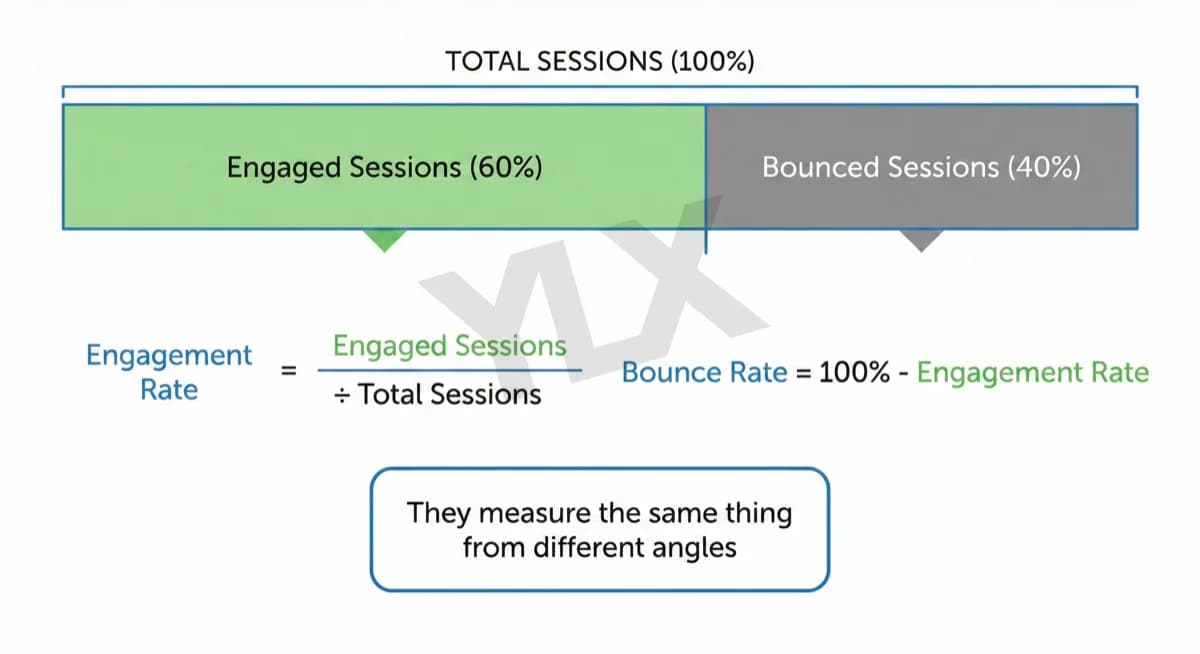
What Is Engagement Rate? The Metric That Shows What Works
Engagement rate measures visitor interaction on your site. Learn what counts as engaged in GA4, what good rates look like, and how to improve yours in 2026.
What Is Bounce Rate and When It Matters for Your Site
Bounce rate shows whether sessions end without meaningful engagement. Learn how GA4 defines it, when a high rate is normal, and when it signals a real problem.