Why Core Web Vitals Matter for Your Business Website
Core Web Vitals matter because they measure whether your pages feel usable.
They are not abstract developer metrics. They are Google's way of checking whether people can see the main content quickly, interact without lag, and use the page without the layout jumping around.
That matters for users first. It also matters for search because Google includes page experience in its broader ranking systems.
What Core Web Vitals Measure
Google's current Core Web Vitals are:
- LCP for loading performance
- INP for responsiveness
- CLS for visual stability
The official thresholds are:
- LCP under 2.5 seconds
- INP under 200 milliseconds
- CLS under 0.1
These come from Google's own page-experience documentation and web-vitals guidance.
Why the Metrics Matter
A page can have strong content and still create a bad first impression if it feels slow or unstable.
That usually shows up as:
- the main content taking too long to appear
- buttons or menus reacting late
- text, images, or buttons shifting while the page loads
Users do not think in metric names when that happens. They just feel friction.
Core Web Vitals and Rankings
Google treats page experience as one part of the overall ranking picture. That means Core Web Vitals matter, but they are not a replacement for relevance, quality, or trust.
The practical takeaway is simple:
- strong content on a bad page can still suffer
- fast pages with weak content do not automatically rank
You need both.
Why This Matters for Business Sites
Performance problems rarely stay technical for long.
They become business problems when:
- visitors leave before seeing the offer
- mobile users abandon the page
- forms feel frustrating
- trust drops because the site feels sloppy or outdated
That is why Core Web Vitals matter even when SEO is not the only goal.
They also overlap with content quality more than many teams expect. A page that is overloaded with video, oversized images, or too many front-end extras often creates a weaker experience before the visitor even evaluates the message. Our guide to optimizing website images with WebP covers one of the most common fixes.
How Google Measures Them
Google reports Core Web Vitals using real-world Chrome usage data where available. The standard pass/fail view is based on the 75th percentile, which means most visitors need to have a good experience for the page to pass.
That is useful because it reflects actual use, not just a one-time lab test.
There is also an important difference between lab tools and field data.
Lab tools simulate a visit under controlled conditions. That is useful for debugging, because it lets you see what is loading, what is blocking the page, and where the likely bottlenecks are.
Field data is different. It reflects what real visitors experienced over time on real devices and networks. That is what gives Core Web Vitals more business value than a one-off speed score. A page can look decent in one test and still create friction for actual users if the device mix, connection quality, or script load is worse in the real world.
That is why performance work should not stop at one Lighthouse run. You want to understand whether the actual page experience is consistently good enough for the people using the site.
What Each Metric Feels Like to a Visitor
It helps to translate the metrics into plain language.
LCP problems feel like waiting for the page to become useful. The header may appear, but the real content does not show up quickly enough.
INP problems feel like the page ignoring the visitor. They click a menu, tap a filter, or press a button and the site reacts too late.
CLS problems feel sloppy. Text shifts, images pop in late, or a button moves just as the user tries to tap it.
These are not abstract complaints. They shape whether the site feels credible. If a visitor is already deciding whether your business is trustworthy, friction at this stage can quietly push them away.
Where Business Sites Usually Get Hurt
Small and medium business sites often fail Core Web Vitals for boring reasons rather than exotic ones.
Common examples:
- uploading very large hero images
- loading too many fonts or font variants
- relying on heavy page builders
- adding multiple third-party widgets without checking cost
- stacking analytics, ad, chat, and scheduling scripts on every page
- rendering too much on the client when the page could have stayed simpler
None of those are impossible to fix. But they do add up, especially on mobile.
This is one reason performance is often a design and content problem as much as a development problem. A page with oversized media, too much motion, and too many dependencies usually creates technical debt before a developer touches any optimization settings.
Common Reasons Sites Fail
The usual causes are not mysterious:
- oversized images
- too much client-side JavaScript
- blocking third-party scripts
- missing dimensions for visual media
- heavy themes or page builders
- slow server response
A lot of performance work is just disciplined engineering and better defaults.
It is also often tied to template and tooling choices. If the site architecture encourages plugin accumulation or heavy page-builder output, performance work gets harder over time. That is one reason the tradeoffs in custom vs template websites matter for SEO and UX, not just for design preference.
What to Fix First
If you are trying to improve Core Web Vitals, start with the issues that usually produce the biggest gains:
- Compress and size images properly.
- Remove unnecessary third-party scripts.
- Make sure above-the-fold content loads quickly.
- Reserve space for images, embeds, and banners so the layout does not jump.
- Reduce unnecessary client-side JavaScript on key pages.
That sequence will usually help more than chasing tiny score improvements in isolation.
If your traffic depends on local discovery, performance work should be prioritized on the pages that actually carry local intent: service pages, contact pages, and high-value local landing pages. A fast blog alone will not offset a slow conversion path.
Why This Still Matters Even If SEO Is Not Your Main Goal
Some business owners hear "ranking factor" and assume Core Web Vitals matter only because of Google.
That misses the more important point.
Fast, stable pages help the site perform better for:
- ad traffic
- referrals
- email campaigns
- direct visitors on mobile
- branded search
Even if SEO traffic were not in the picture, a page that loads smoothly and reacts quickly is easier to trust and easier to use. That affects lead generation, perception, and conversion quality directly.
How to Check Your Site
The easiest places to start are:
PageSpeed Insights is useful for individual URLs. Search Console is useful for seeing patterns across groups of pages.
If you are checking manually, review at least:
- the homepage
- the main service pages
- a representative blog post
- the contact page
Those usually cover the templates that matter most.
If one template underperforms, you often do not need to diagnose every URL one by one. Fixing the shared pattern can improve a whole section at once.
For businesses publishing content regularly, it is also worth comparing page templates. Blog posts, service pages, and form-heavy pages often fail for different reasons. Looking at those patterns gives you a better remediation path than treating every URL as a one-off issue.
What Good Performance Work Usually Prioritizes
A sensible performance pass usually starts with the things visitors feel first:
- load the main content sooner
- make interactions respond faster
- stop the layout from shifting unexpectedly
That is a better order than chasing a perfect synthetic score while obvious user friction is still present.
Why This Is Still Worth Doing Even If Rankings Look Fine
Some businesses only look at Core Web Vitals when they think SEO is slipping.
But a page can quietly lose trust or conversion efficiency before rankings make the problem obvious. If the experience feels slow, unstable, or delayed, that has business cost even when the traffic still arrives.
That is why performance is best treated as an ongoing quality standard rather than an emergency-only optimization project.
Another practical benefit is that performance work often improves more than one outcome at once. It can make the page easier to use, easier to trust, and cheaper to support because the site is carrying less unnecessary weight.
The Bottom Line
Core Web Vitals still matter because they measure real friction.
They are not the whole SEO story, but they are part of how Google evaluates page experience and part of how users decide whether the site feels trustworthy enough to keep using.
If your pages are relevant, useful, and fast enough to feel smooth, you are in a much stronger position than if one of those pieces is missing.
Want to Know How Your Site Performs?
If you're not sure whether performance is holding your site back, we can review the main issues with you. We'll look at loading, layout stability, responsiveness, and the likely causes, then explain what to fix in plain terms.
Get a free website performance review: Contact us at [email protected]
Analysis FAQ.
What are Core Web Vitals?
Core Web Vitals are Google's user-experience metrics for loading, responsiveness, and layout stability. The current set is LCP, INP, and CLS.
Do Core Web Vitals affect Google rankings?
They are part of Google's broader page-experience signals, but they are only one piece of the ranking picture. Good content and relevance still matter more than speed alone.
How do I check my website's Core Web Vitals?
Use PageSpeed Insights or Search Console. Those tools show whether your pages pass the Core Web Vitals assessment based on real-world Chrome user data where available.
Tagged with

Further Reading
Related Analysis.
What Is Bounce Rate and When It Matters for Your Site
Bounce rate shows whether sessions end without meaningful engagement. Learn how GA4 defines it, when a high rate is normal, and when it signals a real problem.
What Is E-E-A-T? How Google Judges Credibility
E-E-A-T stands for experience, expertise, authoritativeness, and trustworthiness. Learn what Google says and how small business sites can improve it.
What Is Engagement Rate? The Metric That Shows What Works
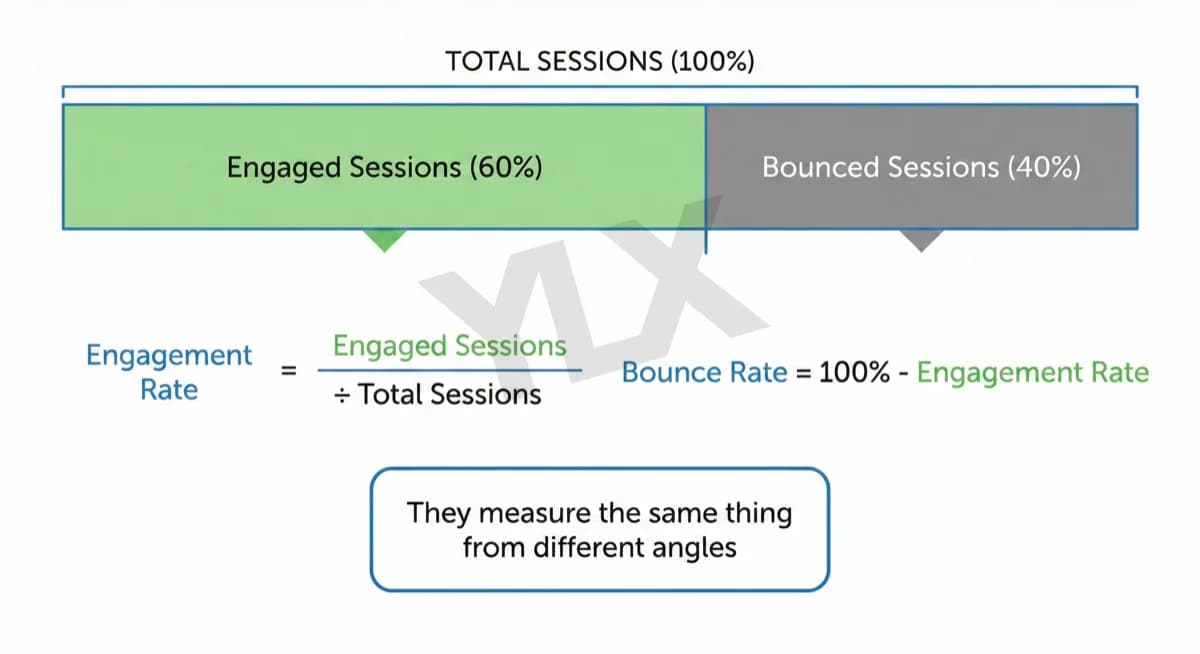
Engagement rate measures visitor interaction on your site. Learn what counts as engaged in GA4, what good rates look like, and how to improve yours in 2026.