What Is Engagement Rate? The Metric That Shows What Works
If you've looked at your website analytics recently, you've probably seen a metric called engagement rate. It measures the percentage of visitors who actually do something meaningful on your site.
This is the flip side of bounce rate. We wrote a guide on what bounce rate is and when it matters that covers when visitors leave without interacting. Engagement rate measures the opposite: the visitors who stayed and engaged.
This matters because knowing what's working is just as important as knowing what isn't. When you understand which pages engage visitors and which traffic sources bring engaged visitors, you can do more of what works instead of just fixing what doesn't.
What Counts as "Engaged"
Engagement rate is the percentage of website sessions where the visitor meaningfully interacted with your site. In Google Analytics 4 (GA4) (opens in a new tab), a session counts as "engaged" if any one of these happens:
- The visitor stays on your site for more than 10 seconds
- They view at least two pages
- They complete a key event (like submitting a form, making a purchase, or clicking a specific button you've set up to track)
If any one of those three things happens, the session is engaged. If none of them happen, the session is unengaged (what GA4 calls a "bounce").
The formula is simple: Engaged Sessions ÷ Total Sessions × 100 = Engagement Rate
If you had 600 engaged sessions out of 1,000 total sessions, your engagement rate would be 60%.
Engagement Rate and Bounce Rate Are Inverses
Here's the key relationship: engagement rate and bounce rate always add up to 100%.
| Engagement Rate | Bounce Rate |
|---|---|
| 60% | 40% |
| 45% | 55% |
| 72% | 28% |
They're measuring the same thing from different angles. Engagement rate counts the sessions where something happened. Bounce rate counts the sessions where nothing happened.
Why does GA4 emphasize engagement rate over bounce rate? Because focusing on what works is more actionable than focusing on what doesn't. When you see that your services page has a 75% engagement rate, you can study what makes it effective and apply those lessons elsewhere.
Engagement rate and bounce rate are inverses: 60% engaged sessions plus 40% bounced sessions equals 100% of all sessions
What's a Good Engagement Rate?
It depends on your industry and the type of content, but here are general benchmarks based on industry data from Databox (opens in a new tab) and First Page Sage's analysis (opens in a new tab):
| Rating | Engagement Rate |
|---|---|
| Poor | Below 45% |
| Average | 50-60% |
| Good | 60-70% |
| Excellent | Above 70% |
By business type:
- B2B websites: Above 63% is good
- B2C websites: Above 71% is good
- Overall average across all industries: Around 56%
By content type:
- Service pages and product pages: Aim for 60%+
- Blog posts and informational content: 45-60% is acceptable
Blog content naturally has lower engagement rates because many visitors find the answer to their question, read it, and leave satisfied. That's not a failure. It's just how people use informational content.
Traffic source matters too. According to Go Fish Digital's analysis (opens in a new tab), organic search visitors often show stronger engagement patterns than paid advertising visitors. Someone who found you through Google was actively looking for what you offer. Someone who clicked an ad might have been curious but less committed.
Engagement rate benchmarks: poor below 45%, average 50-60%, good 60-70%, excellent above 70%, with B2B target of 63% and B2C target of 71%
Why Engagement Rate Matters More Than Old Bounce Rate
Before GA4, bounce rate in Universal Analytics counted anyone who left after viewing one page as a "bounce." That created a problem.
Imagine someone searches "plumber phone number Toronto," finds your contact page, sees your number, calls you, and leaves. Under the old definition, that was a bounce. But they called you. That's exactly what you wanted.
Or someone reads your entire 2,000-word blog post for eight minutes, gets the answer they needed, and closes the tab. That was also a bounce. But they engaged with your content for eight minutes.
The old metric was misleading. GA4's engaged-session model (opens in a new tab) counts sessions as engaged when users stay longer than 10 seconds, view 2+ pages, or trigger key events.
Does Engagement Rate Affect SEO?
No, not directly. Google has stated that engagement rate is not a ranking factor. They don't look at your GA4 data to decide where to rank you.
But engagement rate correlates with things Google does care about. According to First Page Sage's analysis (opens in a new tab), engagement has grown increasingly important as a ranking signal since 2016. Pages that keep visitors engaged are usually pages that:
- Answer the search query thoroughly
- Load quickly
- Are easy to navigate
- Provide value
These are exactly the signals Google tries to measure through other means. A high engagement rate doesn't cause better rankings, but both are caused by good content.
Common Causes of Low Engagement Rate
If your engagement rate is below 45%, something is pushing visitors away before they can engage. According to research on low engagement causes (opens in a new tab), the most common problems are:
Slow loading. If your page takes more than 2-3 seconds to load, many visitors leave before they see anything. They can't engage with content that hasn't appeared yet. Our guide to why Core Web Vitals matter covers how speed affects user behavior.
Content doesn't match expectations. If your title promises "10 ways to improve your garden" and visitors land on a page selling garden tools, they leave. The disconnect between what they expected and what they found pushes them back to Google.
Poor mobile experience. More than half of web traffic is mobile. If your site is hard to read or navigate on a phone, mobile visitors won't stick around. Our post on what responsive design is and why it matters explains how this works.
Auto-playing media. Videos or audio that start automatically annoy visitors. Many will close the tab immediately.
No clear next step. If visitors finish reading and see no obvious action to take, they leave. Calls to action, related content links, and clear navigation keep people moving through your site.
Misleading titles or descriptions. If your page title or meta description doesn't accurately describe the content, you'll attract the wrong visitors. They'll leave as soon as they realize the page isn't what they wanted.
Technical errors. Broken pages, missing images, or JavaScript errors can prevent content from loading properly.
How to Find Engagement Rate in GA4
GA4 doesn't show engagement rate in most reports by default. You need to add it (opens in a new tab).
To add engagement rate to a report:
- Sign in to Google Analytics
- Go to Reports in the left menu
- Open the report you want to customize (try Pages and screens under Engagement)
- Click "Customize report" in the upper right (you need Editor or Administrator access)
- Click "Metrics" under Report Data
- Click "Add metric" and search for "Engagement rate"
- Click Apply, then Save
Now that report will always show engagement rate as a column.
Best reports for engagement analysis:
- Traffic acquisition: See which channels (organic search, social, direct, paid) bring the most engaged visitors
- Pages and screens: See which pages have the highest and lowest engagement
- Landing page: See which entry points to your site work best
How to Improve Engagement Rate
The goal is to get visitors past that 10-second threshold, encourage them to view a second page, or prompt them to take an action. Here's what works:
Speed up your site. Every second of load time costs you visitors. Compress images, reduce unnecessary code, and consider your hosting. If visitors see content faster, they're more likely to stay past 10 seconds.
Match search intent immediately. Put the answer to the visitor's question near the top of the page. Don't make them scroll through three paragraphs of background before getting to what they came for.
Add calls to action throughout the content. Don't save all your CTAs for the bottom. Place relevant links and buttons throughout the page where they make sense. This gives engaged readers a clear next step.
Use internal links strategically. Link to related content early in the article, not just at the end. Many visitors don't scroll all the way down. If you want them to click to a second page, give them the opportunity before they leave.
Make mobile work well. Test your site on an actual phone.
Can you read it easily? Do buttons work with your thumb? Does the layout make sense on a small screen?
Break up long content. Use headings, bullet points, images, and short paragraphs. Walls of text are hard to read on screens. Content that's easy to scan keeps people engaged longer.
Add interactive elements. Videos, calculators, quizzes, and comment sections give visitors something to do beyond reading. Any interaction counts as engagement.
What We Track
When we build websites, we set up GA4 to track meaningful engagement from day one. That means:
- Configuring key events for form submissions, phone clicks, and other conversions
- Setting up reports that show engagement by page and traffic source
- Creating dashboards that highlight what's working, not just what's broken
We focus on engagement rate because it answers the question every business owner actually cares about: are visitors doing something valuable on my site?
Engagement rate connects directly to business outcomes. High engagement usually means visitors are finding what they need, spending time with your content, and taking actions that lead to revenue.
The Bottom Line
Engagement rate tells you the percentage of visitors who meaningfully interact with your site. In GA4, that means staying more than 10 seconds, viewing multiple pages, or completing an action you've defined as important.
A good engagement rate is above 60% for most business websites. Below 45% suggests problems that need investigation.
Unlike the old bounce rate, engagement rate focuses on what's working. Use it to identify your best-performing pages and traffic sources, then apply those lessons across your site.
The metric isn't magic. It won't tell you exactly what to fix. But it points you in the right direction: toward the content that resonates and away from the content that doesn't.
Want to Know Your Engagement Rate?
If you're not sure how to find your engagement rate in GA4, or you want help understanding what your numbers mean, we can take a look. We'll show you which pages are engaging visitors and which ones might need attention.
Get a free engagement review: Contact us at info@ylx.ca
Analysis FAQ.
What is engagement rate in Google Analytics 4?
Engagement rate is the percentage of sessions where visitors meaningfully interacted with your site. A session is engaged if any of these happen: the visitor stays more than 10 seconds, views at least two pages, or completes a key event like a form submission.
How are engagement rate and bounce rate related?
They're inverses that always add up to 100%. If your engagement rate is 60%, your bounce rate is 40%. Engagement rate measures sessions where something meaningful happened, while bounce rate measures sessions where nothing happened.
What is a good engagement rate?
Above 63% is considered excellent, 50-63% is good, 40-50% is average, and below 40% needs improvement. However, benchmarks vary by industry and content type. Use engagement rate to identify which pages and traffic sources perform best.
Why does GA4 emphasize engagement rate over bounce rate?
Focusing on what works is more actionable than focusing on what doesn't. When you see high engagement rates on certain pages or from certain sources, you can study what makes them effective and apply those lessons elsewhere.
Tagged with

Further Reading
Related Analysis.
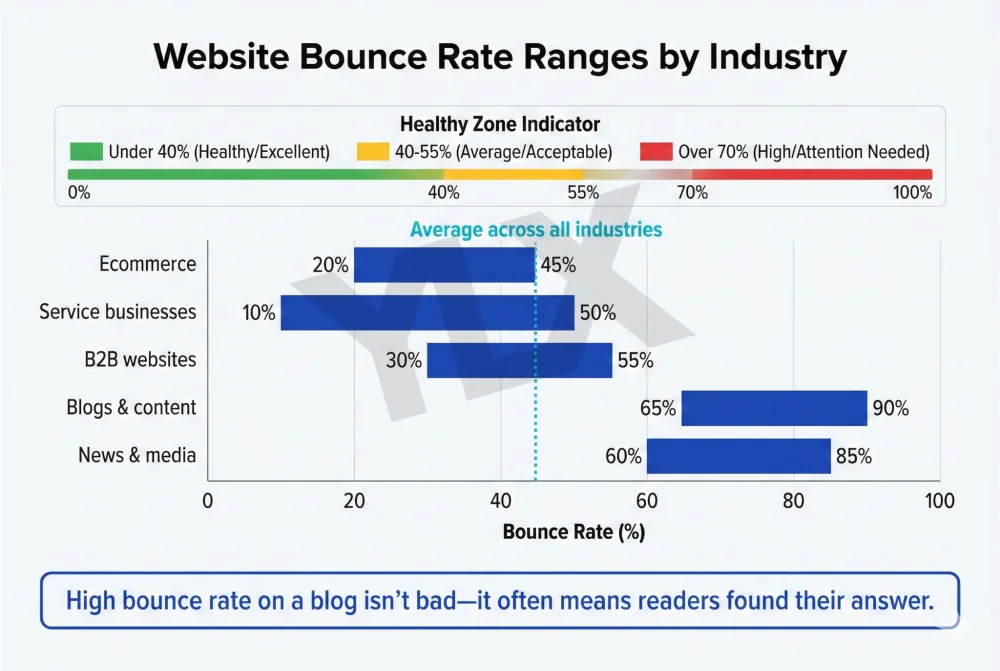
What Is Bounce Rate and When It Matters for Your Site
Bounce rate shows if visitors engage or leave. Learn what counts as a bounce in GA4, when high rates signal problems, and how to keep visitors engaged.
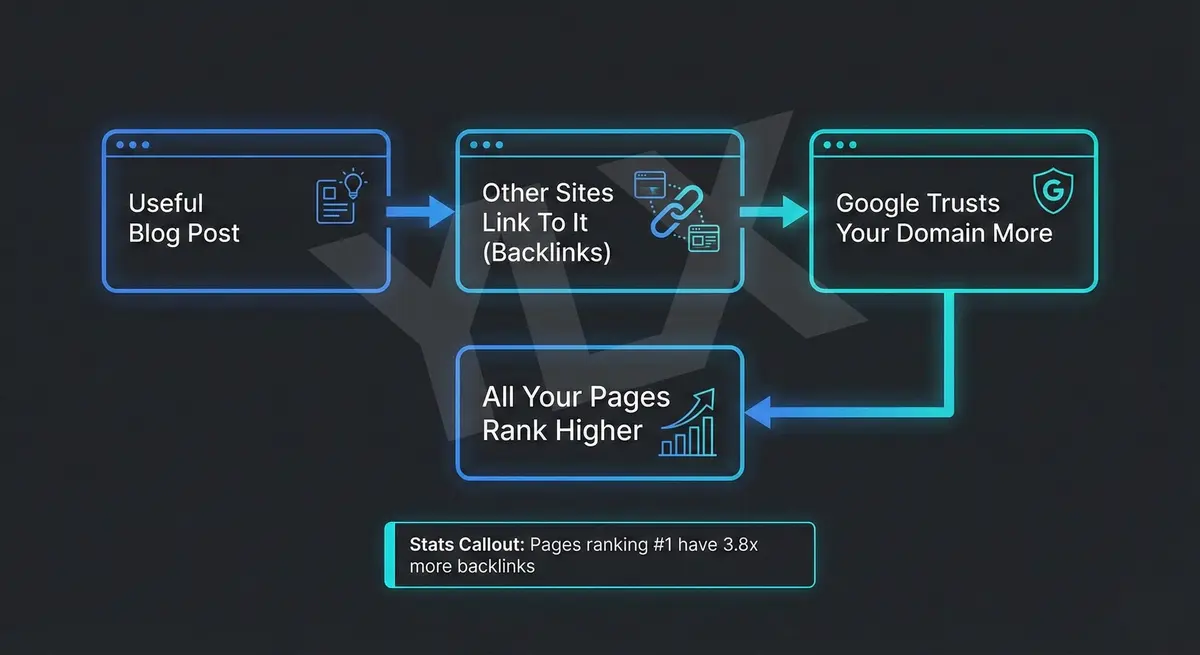
How to Write a Blog Post That Actually Ranks in 2026
Most business blogs fail because owners don't understand why blogging works. Learn the real purpose, proper structure, and what AI-generated content gets wrong.
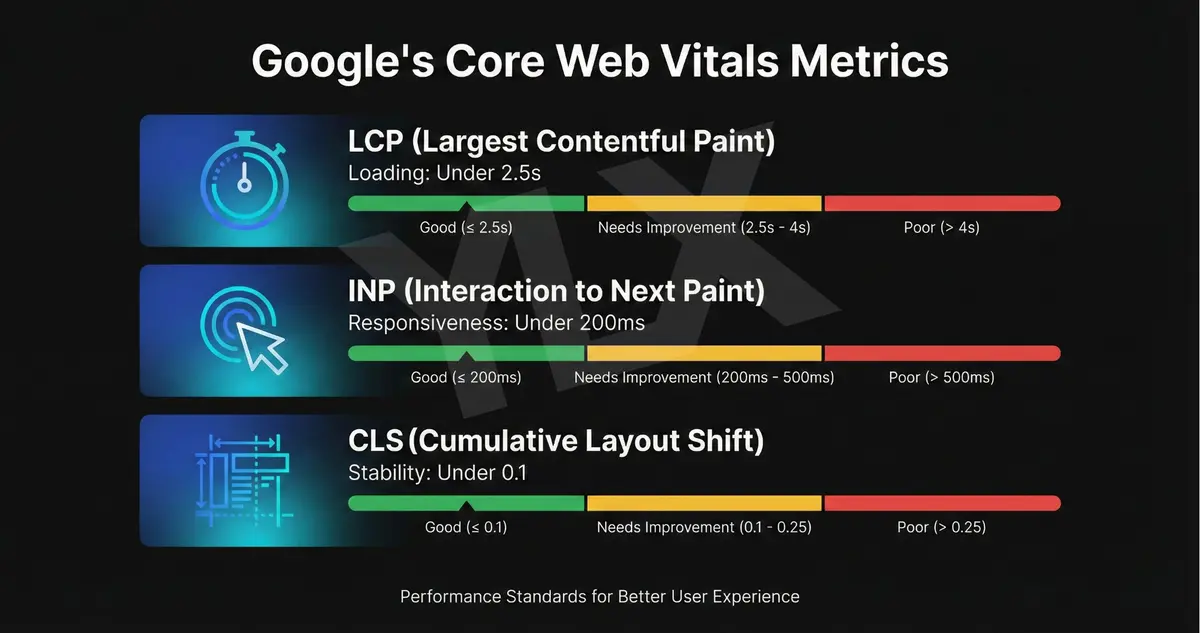
Why Core Web Vitals Matter for Your Business Website
Google uses Core Web Vitals to rank websites. Learn what they measure, why half of sites fail, and how speed directly affects your customers and revenue.