What Is DMARC and Why Your Business Emails Depend on It
If you send emails to customers, whether that's invoices, newsletters, or appointment reminders, those emails might not be reaching their inboxes.
Starting in 2024, Gmail and Yahoo began enforcing stricter authentication requirements. Microsoft followed in 2025. The result is practical: businesses without proper email authentication see more messages land in spam or get rejected.
At the center of these requirements is something called DMARC.
You don't need to become a technical expert to understand this. But you do need to know what DMARC is, why it matters for your business, and what to do about it. If you want hands-on setup instructions with DNS examples, see our complete SPF, DKIM, and DMARC setup guide.
Let me explain it in plain terms.
What Is DMARC?
DMARC stands for Domain-based Message Authentication, Reporting, and Conformance. That's a mouthful, so think of it this way: DMARC is a set of rules that tells email providers how to handle messages claiming to come from your domain.
When someone sends an email "from" your business address, DMARC helps Gmail, Yahoo, and other providers verify whether that email is actually legitimate or if someone is faking it.
DMARC works alongside two other email authentication methods:
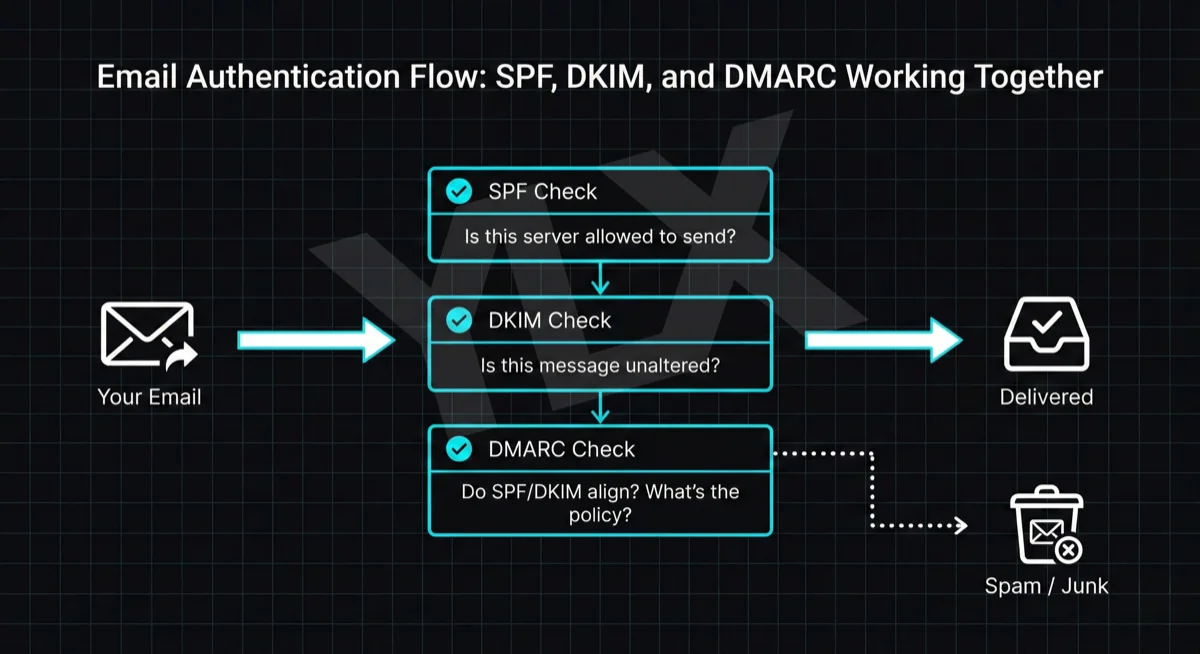
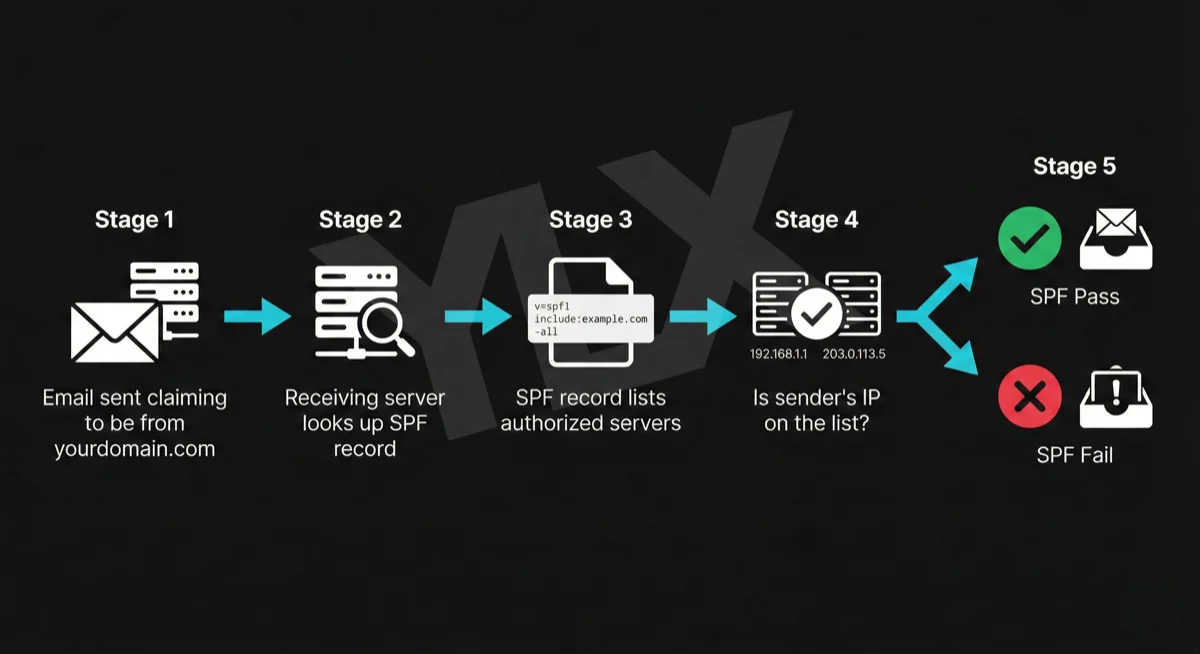
SPF (Sender Policy Framework) tells email providers which servers are allowed to send emails on your behalf. Think of it as a guest list for your domain.
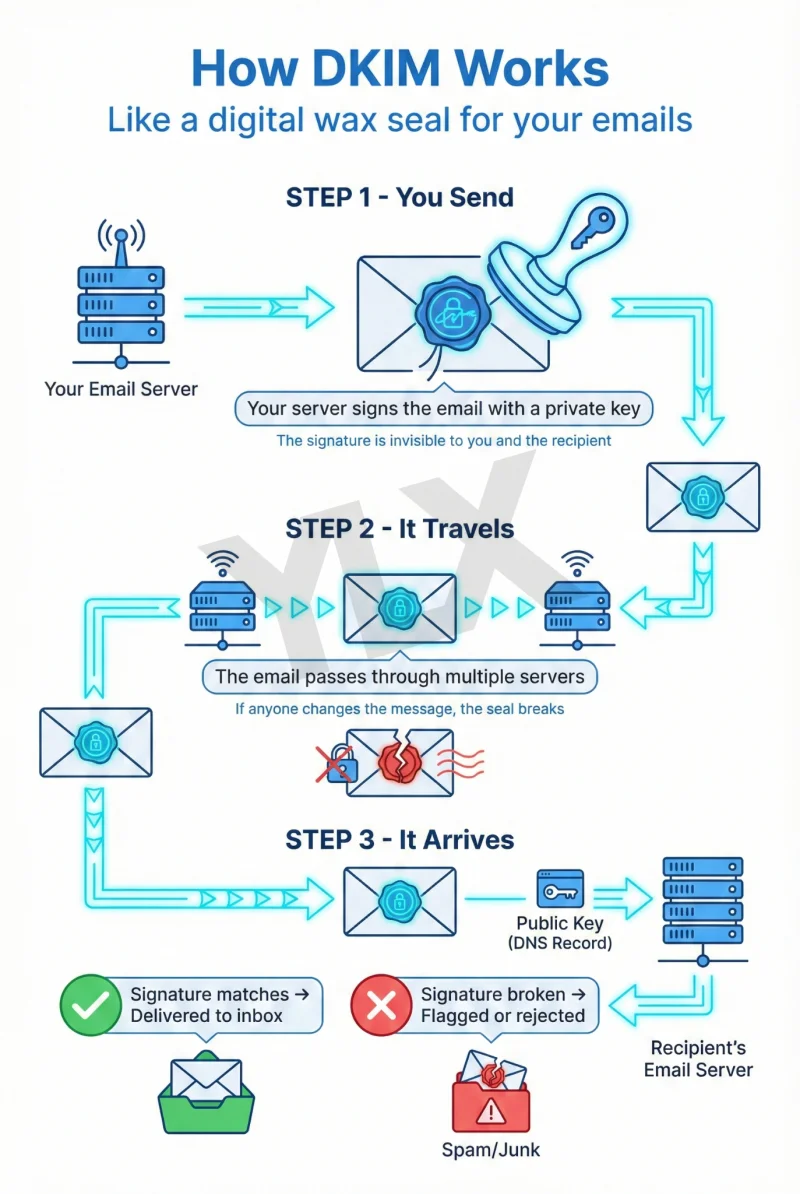
DKIM (DomainKeys Identified Mail) adds a digital signature to your emails, proving they haven't been tampered with during delivery.
DMARC ties these together. It checks whether SPF or DKIM passed, then tells the receiving server what to do if authentication fails: let it through, send it to spam, or reject it entirely.
Why DMARC Matters for Your Business
There are three reasons you should care about DMARC, even if you never touch the technical side yourself.
1. Your Emails Might Not Be Reaching Customers
To fight spam and phishing, Google now requires proper authentication for bulk senders (anyone sending more than 5,000 emails per day to Gmail addresses).
But even if you send fewer emails, authentication helps your deliverability. Email providers trust authenticated messages more than unauthenticated ones. Without DMARC, your invoices, confirmations, and newsletters are more likely to end up in spam folders or get blocked.
Google's sender guidance explicitly says unauthenticated messages may be rejected or sent to spam.
2. Anyone Can Send Emails Pretending to Be You
Without DMARC, scammers can send emails that look like they come from your business. This is called email spoofing, and it's surprisingly easy to do.
Imagine a customer receiving an email from "billing@yourbusiness.com" asking them to update their payment information. If that email leads to a phishing site, your customer loses money and your reputation takes the hit.
DMARC lets you tell email providers: "If an email claims to be from my domain but fails authentication, reject it." This protects your customers and your brand.
3. Gmail, Yahoo, and Microsoft Now Require It
In February 2024, Gmail and Yahoo started enforcing stronger email authentication requirements. Microsoft joined in May 2025. These aren't suggestions. They're requirements.
Google's Email Sender Guidelines (opens in a new tab) outline current Gmail sender requirements.
Microsoft's 550 5.7.515 guidance (opens in a new tab) explains Outlook.com rejections for high-volume senders that do not meet authentication requirements.
For bulk senders, the rules are clear:
- You must have SPF and DKIM set up correctly
- You must publish a DMARC policy
- Your spam complaint rate must stay below 0.3%
- Marketing emails must include one-click unsubscribe
Even smaller senders benefit from compliance. Authenticated emails are more likely to reach inboxes, and you're protected if your sending volume grows.
The Current State of DMARC Adoption
Many businesses still treat DMARC as optional.
In real audits, common problems are missing DMARC records, policies left at p=none indefinitely, and records that exist but don't align properly with SPF or DKIM.
That leaves deliverability and brand protection weaker than they should be.
How DMARC Works in Practice
When you set up DMARC, you publish a record in your domain's DNS settings. This record tells email providers three things:
- What to check: Whether to verify SPF, DKIM, or both
- What to do with failures: Your policy (none, quarantine, or reject)
- Where to send reports: An email address where you receive daily authentication reports
The three policy levels work like this:
p=none: Monitor only. Emails that fail authentication still get delivered, but you receive reports showing what's happening. This is where most businesses start.
p=quarantine: Emails that fail authentication go to the recipient's spam folder.
p=reject: Emails that fail authentication get blocked entirely. This is the strongest protection against email spoofing.
Most experts recommend starting with "none" to see what's happening, then gradually moving to "quarantine" and eventually "reject" once you've confirmed all your legitimate email sources are properly authenticated.
How email authentication works with SPF, DKIM, and DMARC
What You Need to Do
If you're a business owner or marketer, you probably won't set this up yourself. But you should make sure it gets done.
Here's the basic process:
Step 1: Check your current status. Tools like MXToolbox's DMARC checker (opens in a new tab) can show whether you have SPF, DKIM, and DMARC records in place.
Step 2: Set up SPF and DKIM first. These need to be working before DMARC can do its job. Our guides on setting up SPF and configuring DKIM explain both protocols. Your email provider or IT person can help with the technical setup.
Step 3: Publish a DMARC record. Start with a "none" policy and a reporting address so you can see what's happening.
Step 4: Review reports for 30 days. The reports will show you every server sending email as your domain. Some might be legitimate services you forgot about (your CRM, newsletter tool, invoicing software). Others might be unauthorized.
Step 5: Fix any issues. Make sure all your legitimate email sources are properly authenticated.
Step 6: Tighten your policy. Once everything looks good, move from "none" to "quarantine," then eventually to "reject."
This process typically takes 4-8 weeks if you're being careful. Rushing it can result in blocking your own legitimate emails.
Who Should Set Up DMARC?
If you have an IT person or team, this is their territory. If you work with a web developer or agency, ask them about it. Many hosting providers and email services also offer help with email authentication.
The key questions to ask:
- Do we have SPF, DKIM, and DMARC set up?
- What is our current DMARC policy?
- Are we receiving and reviewing DMARC reports? (You can use Google Postmaster Tools (opens in a new tab) to monitor delivery to Gmail.)
- Are all our email-sending services properly authenticated?
If the answer to any of these is "I don't know," it's worth investigating.
Why DMARC Matters Now More Than Ever
DMARC isn't just a technical checkbox. It directly affects whether your emails reach customers and whether scammers can impersonate your business.
The major email providers have made their position clear: authenticate your emails or risk having them rejected. Most businesses haven't caught up yet, which means there's still time to get ahead of this.
You don't need to understand every technical detail. But you do need to make sure someone on your team, or a provider you work with, has email authentication handled.
Your emails are too important to leave to chance. (If you're also concerned about your website security, check out our guide to essential security features for business websites.)
Need Help With Email Authentication?
If you're not sure whether your domain has DMARC set up correctly, we can take a look. We'll check your current authentication status and explain what we find in plain terms.
Get a free email authentication check: Contact us at info@ylx.ca
Analysis FAQ.
What is DMARC?
DMARC (Domain-based Message Authentication, Reporting, and Conformance) is an email authentication protocol that ties SPF and DKIM together. It tells email providers how to handle messages that fail authentication and sends you reports about who's sending email as your domain.
Why do I need DMARC for my business?
Without DMARC, scammers can send emails pretending to be your business (email spoofing). DMARC also improves deliverability because major providers enforce stronger sender-authentication requirements. Depending on the provider and policy, unauthenticated messages may be filtered or rejected.
What are the DMARC policy options?
DMARC has three policies: p=none (monitor only, no enforcement), p=quarantine (send failures to spam), and p=reject (block failures entirely). Start with p=none to gather data, then gradually move to p=reject for full protection.
What are DMARC reports?
DMARC sends two types of reports: aggregate reports (daily summaries of all email authentication results) and forensic reports (details about individual failures). These help you identify unauthorized senders and fix authentication problems.
Tagged with

Further Reading
Related Analysis.
SPF, DKIM, and DMARC Explained: Email Authentication Setup
Learn what SPF, DKIM, and DMARC are, why Gmail and Microsoft now require them, and how to set them up with step-by-step DNS examples for common providers.
What Is DKIM? How Email Signatures Protect Your Business
DKIM proves your emails are genuine. Learn how this digital signature works, why Gmail and Microsoft now require it, and how to check if your domain has it.
What Is SPF? The First Line of Email Authentication
SPF tells email providers which servers can send from your domain. Learn how it works, why Gmail and Microsoft require it, and how to set it up correctly.