What Is Bounce Rate and When It Matters for Your Site
Every visitor who leaves your website without engaging is a missed opportunity. But not every bounce means you failed. Some visitors got exactly what they needed and left satisfied. Others left frustrated and went to find a better answer from your competitor.
The difference matters. One means your website is working. The other means you're losing business.
Bounce rate is one of the most misunderstood metrics in web analytics. Business owners either ignore it completely or obsess over it without understanding what it actually measures. Let me explain what bounce rate is, when it matters, and what to do about it.
What Is Bounce Rate?
A "bounce" happens when someone visits your website and leaves without doing anything else. They landed on a page, looked at it (or didn't), and left.
Bounce rate is the percentage of visitors who do this. If 100 people visit your site and 45 of them leave without clicking anything, viewing another page, or taking any action, your bounce rate is 45%.
Simple enough. But there's more to it.
Google Analytics 4 (opens in a new tab) (GA4) is a widely used platform for website traffic measurement. In GA4, the definition of a bounce is smarter than just "viewed one page." A session counts as "engaged" if any of these happen:
- The visitor stays longer than 10 seconds
- They view at least two pages
- They complete a conversion (like submitting a form)
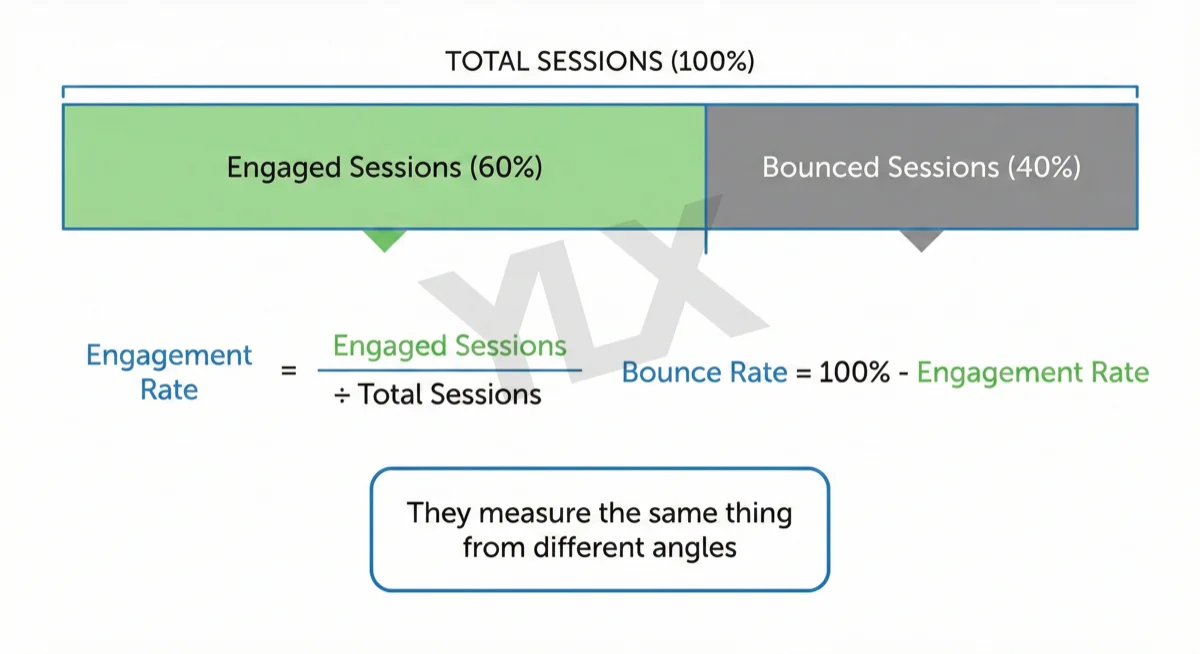
Bounce rate in GA4 is the percentage of sessions that weren't engaged. If someone reads your entire blog post for five minutes but doesn't click anything else, that's not a bounce. They engaged with your content.
The inverse of bounce rate is engagement rate. We wrote a companion guide on what engagement rate is and how to improve it that covers the positive side of this metric.
What this means for you: A high bounce rate genuinely suggests visitors aren't finding what they need, or aren't staying long enough to engage with your content.
What's a Normal Bounce Rate?
Before you panic about your numbers, here's what's typical across different types of websites in 2025:
| Website Type | Typical Bounce Rate |
|---|---|
| Ecommerce | 20-45% |
| Service businesses | 10-50% |
| B2B websites | 30-55% |
| Blogs and content sites | 65-90% |
| News and media | 60-85% |
These ranges come from 2025 industry benchmark data (opens in a new tab). The overall average across all industries is around 45% (opens in a new tab).
Bounce rate benchmarks by website type showing ecommerce at 20-45%, service businesses at 10-50%, B2B at 30-55%, blogs at 65-90%, and news sites at 60-85%
Notice that blogs have much higher bounce rates than ecommerce sites. That's not because blogs are worse. It's because people use them differently.
Someone searches a question, finds your blog post, reads the answer, and leaves satisfied. That's a success, even though it's technically a bounce.
Device matters too. Mobile visitors usually bounce more often than desktop visitors in industry benchmark studies (opens in a new tab). Smaller screens, slower connections, and on-the-go browsing all contribute.
If your bounce rate is under 40%, you're doing well. Between 40-55% is average. Above 70% might be worth investigating, unless you run a blog or news site.
Why Bounce Rate Matters
A high bounce rate isn't always bad. The difference comes down to what the visitor does next.
Imagine someone searches "plumber near me," clicks on your website, sees your phone number, calls you, and leaves. That's a bounce. It's also exactly what you wanted to happen. They found what they needed and their search ended.
Now imagine someone searches "how to fix a leaky faucet," clicks on your blog post, sees a wall of text with no clear answer, and hits the back button to try another result. That's also a bounce. But this time they went back to Google to find a better answer. You failed to satisfy their search.
Google doesn't care if someone leaves your site. Google cares if they leave and keep searching.
Good bounce vs pogo-sticking: one visitor finds the phone number and calls, the other hits back and tries another search result
The Pogo-Sticking Problem
The SEO industry calls this pogo-sticking: when someone clicks a search result, quickly hits the back button, and tries a different result. According to Cariad Marketing (opens in a new tab), Google treats pogo-sticking as a much stronger negative signal than a simple bounce.
A bounce might mean the user got what they needed. Pogo-sticking always means they didn't.
When a page fails to match search intent, visitors often return to Google and pick another result. Pages that match intent keep people engaged longer and reduce that bounce-back behavior.
What Google Actually Measures
Google has said repeatedly that bounce rate is not a direct ranking factor. But that's not the whole story.
Google's algorithm does care whether users are satisfied with search results. Google does not publish a fixed percentage for these engagement-related systems, but user satisfaction is a core quality outcome.
What does Google look at in practice? Patterns that suggest users found what they needed, such as continuing to engage with your page instead of returning to search immediately. Google isn't looking at your bounce rate number in isolation. They're measuring whether searchers find your content satisfying.
The Speed Connection
Page speed directly affects whether visitors stick around or bounce. Google's own guidance (opens in a new tab) says 53% of mobile visitors leave pages that take longer than 3 seconds to load. A case study from Renault (opens in a new tab) found that improving load time by 1 second led to a 14-point decrease in bounce rate and a 13% increase in conversions.
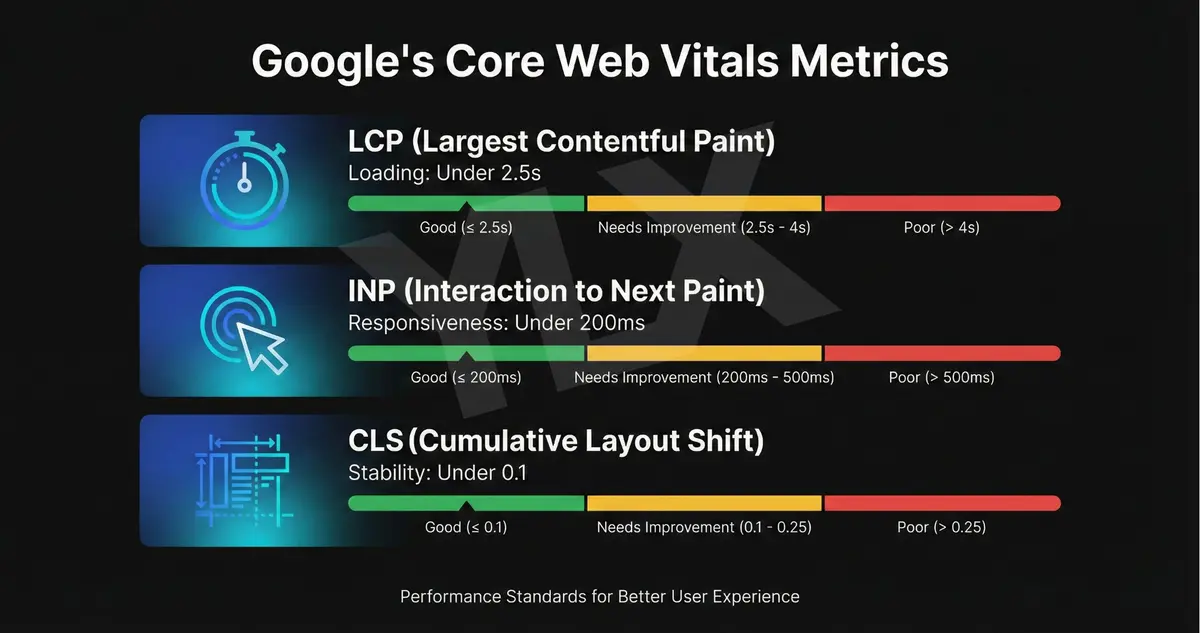
If your site is slow, visitors leave before they even see your content. We covered this in depth in our guide to why Core Web Vitals matter for your business.
What this means for you: You can't game engagement signals with tricks. The only way to improve them is to create content that actually answers what people are searching for, and make sure your site loads fast enough for them to see it.
How to Reduce Bounce Rate
If your bounce rate is higher than you'd like, the solution is better content. Not longer content. Not more content.
Better content that actually serves the person reading it. We covered how to do this in our guide to writing blog posts that actually rank.
Here are the factors that matter most:
Match Search Intent First
Google calls this search intent, and it's the foundation of content that keeps visitors engaged. Different searches have different goals:
- Informational: They want to learn something ("what is bounce rate")
- Navigational: They want to find a specific site ("Facebook login")
- Commercial: They're researching before buying ("best plumbers in Toronto")
- Transactional: They're ready to take action ("hire plumber downtown Toronto")
If your page doesn't match the intent behind the search, people will bounce and keep searching. Not because your content is bad, but because it's not what they needed right now.
Look at the pages currently ranking for your target keywords. Are they how-to guides? Product comparisons? Quick answers?
Your content should fit the same format.
If the top results are all 2,000-word guides and you have a 300-word overview, you're not matching intent. If the top results are quick answers and you have a 3,000-word essay, you're also not matching intent.
Speed Up Your Site
According to Google's research (opens in a new tab), 53% of mobile visitors leave a site that takes longer than 3 seconds to load. If you're not sure how your site performs, review the PageSpeed Insights docs (opens in a new tab) and run your URL on pagespeed.web.dev. Look at your Core Web Vitals scores. If you're failing those metrics, that's likely contributing to your bounce rate.
Use Internal Links
Internal links keep visitors on your site by giving them somewhere relevant to go next. If someone finishes reading one article and sees a link to related content, they might click it instead of leaving.
According to Backlinko (opens in a new tab), internal links placed high on the page are especially effective. They give users more information about their query before they consider going back to Google.
Don't add random links. Link to content that genuinely continues the conversation or answers a related question the reader might have.
Make Content Scannable
Most people don't read web pages word by word. They scan for the information they need.
Use clear subheadings. Keep paragraphs short. Put important information near the top.
Use bullet points for lists. Include images that add value, not just decoration.
Optimize for Mobile
More than half of web traffic comes from mobile devices, but mobile also has the highest bounce rates. Make sure your site works well on phones: readable text, tappable buttons, no intrusive popups blocking the screen.
If your mobile experience is frustrating, you're losing visitors before they even see your content.
What to Actually Measure
Bounce rate is useful, but don't look at it in isolation. Combine it with other metrics for a clearer picture:
Engagement rate: The inverse of bounce rate in GA4. What percentage of sessions were engaged?
Average engagement time: How long do engaged visitors actually spend on your site?
Pages per session: Are visitors exploring multiple pages, or just viewing one?
Conversion rate: Are visitors taking the actions you want them to take?
A page with a 70% bounce rate might be fine if the 30% who engage convert well. A page with a 30% bounce rate might be a problem if nobody converts.
Context matters.
The Bottom Line
Bounce rate measures whether visitors engage with your site or leave immediately. It's not inherently good or bad. What matters is whether it reflects visitors getting what they need.
High bounce rate becomes a problem when:
- Visitors are leaving because your site is slow
- Your content doesn't match what they searched for
- They're going back to Google to find a better answer
- Key pages meant to convert visitors aren't engaging them
Low bounce rate is good when:
- Visitors are exploring your site and finding value
- Your content matches search intent
- People stay because your content is helpful, not because they're confused
Google doesn't use bounce rate as a direct ranking factor. But they do measure user satisfaction. If your content consistently fails to satisfy searchers, that will affect your visibility over time.
The solution isn't to trick people into clicking more pages. It's to create content that actually helps them.
Match their intent. Answer their questions. Make your site fast and easy to use.
When you do that, bounce rate takes care of itself.
Want to Know How Your Site Performs?
If you're not sure whether your bounce rate is a problem or what's causing it, we can take a look. We'll check your analytics, test your site speed, and explain what we find in plain terms.
Get a free website review: Contact us at info@ylx.ca
Analysis FAQ.
What is bounce rate?
Bounce rate is the percentage of visitors who leave your website without engaging. In Google Analytics 4, a session counts as engaged if the visitor stays more than 10 seconds, views at least two pages, or completes a conversion. Bounce rate measures sessions where none of these happened.
What is a good bounce rate?
It varies by industry. Ecommerce sites typically see 20-45%, service businesses 10-50%, B2B sites 30-55%, blogs 65-90%, and news sites 60-85%. The overall average is around 45%. Blogs have higher bounce rates because visitors often get what they need from one article.
Does bounce rate affect SEO?
Google doesn't use bounce rate directly as a ranking factor, but pogo-sticking (when visitors quickly return to search results) signals to Google that your content didn't satisfy them. This can indirectly hurt your rankings as Google learns your page doesn't meet user expectations.
How can I reduce my bounce rate?
Focus on matching content to search intent, improving page load speed, creating scannable content with clear headings, adding compelling internal links, and ensuring mobile responsiveness. Also check that your title and meta description accurately describe your content.
Tagged with

Further Reading
Related Analysis.
What Is Engagement Rate? The Metric That Shows What Works
Engagement rate measures visitor interaction on your site. Learn what counts as engaged in GA4, what good rates look like, and how to improve yours in 2026.
Why Core Web Vitals Matter for Your Business Website
Google uses Core Web Vitals to rank websites. Learn what they measure, why half of sites fail, and how speed directly affects your customers and revenue.
How to Write a Blog Post That Actually Ranks in 2026
Most business blogs fail because owners don't understand why blogging works. Learn the real purpose, proper structure, and what AI-generated content gets wrong.