Google Analytics Privacy in Canada: Is Your Setup Compliant?
Google Analytics 4 is installed on most business websites. If yours uses it, your privacy obligations depend on how it's configured. GA4 and privacy in Canada are not automatically in conflict, but most default setups still need changes to meet Canadian requirements.
If you use GA4 only for basic analytics, compliance is usually straightforward. If you serve customers in Quebec, or you use Google Ads features with GA4, there is more to set up.
This post covers what GA4 actually collects, what PIPEDA and Quebec's Law 25 require, how consent mode works, and what to change in your setup. It also covers privacy-friendly alternatives if you want to avoid the consent burden of traditional analytics.
What GA4 Actually Collects
Before you can write a proper privacy disclosure, you need to know what data GA4 gathers. Here's the plain-language version.
Data GA4 collects automatically:
- IP addresses are used briefly to determine your visitor's geographic location (country, city, region), then discarded before the data is logged (opens in a new tab). IP addresses are not stored in your GA4 reports.
- Device and browser information including screen resolution, operating system, browser type, and language settings.
- Pages visited, time on page, and session duration. GA4 sends a
page_viewevent every time a page loads, plussession_startanduser_engagementevents that track how long people stay. - Referral source showing where visitors came from (search engine, social media, another website, or a direct visit).
- Enhanced measurement events like scroll depth, outbound link clicks, file downloads, and video plays. These are enabled by default (opens in a new tab) but can be turned off.
- Custom events you configure yourself, like form submissions or button clicks.
What "no IP storage" actually means
GA4 uses IP addresses briefly to determine geographic location, then discards them. Google says IP addresses are not logged or stored in GA4 (source (opens in a new tab)). That is a real privacy improvement over Universal Analytics, which stored full IP addresses unless you manually enabled anonymization.
What GA4 still collects that matters for privacy
GA4 uses first-party cookies to identify returning visitors and track sessions. It collects browsing behaviour across your site. And all of this data is sent to Google's servers, which are located in the United States. Under Canadian privacy law, that cross-border transfer is something you need to disclose.
Is GA4 Compliant Under PIPEDA?
For a basic GA4 setup without advertising features, PIPEDA (Personal Information Protection and Electronic Documents Act) generally allows it if your privacy policy does its job.
The Office of the Privacy Commissioner's guidelines on online behavioural advertising (opens in a new tab) say that implied consent (opt-out) can be acceptable when the information collected is not sensitive, the purpose is clearly explained, and users have an accessible way to opt out. A standard GA4 analytics setup, without retargeting or advertising, fits this description.
What your privacy policy must include for GA4:
- That you use Google Analytics to collect browsing data
- What specific data it collects (pages visited, session duration, device info, geographic region)
- That this data is processed on Google's servers in the United States
- How visitors can opt out (Google's browser opt-out add-on (opens in a new tab) is the standard method)
- Why you collect this data (understanding site traffic, improving your website)
If your privacy policy covers all of that, a basic GA4 setup can operate under implied consent for most Canadian businesses outside Quebec. Our guide to writing a privacy policy for your business website walks through the analytics disclosure section with example language.
Things change when you add advertising. If you enable Google Signals, use remarketing audiences, or connect GA4 to Google Ads, you're moving beyond basic analytics into behavioural advertising. The OPC's policy position on online behavioural advertising (opens in a new tab) sets stricter conditions for that type of tracking.
Quebec Law 25 and GA4
If your business serves customers in Quebec, a different standard applies.
Quebec's Act respecting the protection of personal information in the private sector (Law 25) (opens in a new tab) sets a stricter baseline. Section 8.1 requires notice when technology can identify, locate, or profile a person, and section 12 limits use beyond the original purpose without consent. In practice, many Quebec-facing sites treat GA4 as opt-in and block it by default.
This differs from PIPEDA. Under PIPEDA, you can disclose GA4 in your privacy policy and rely on implied consent. Under Law 25, that is usually not enough. GA4 should be blocked by default and activated only after the user opts in.
As we covered in our guide to website privacy law in Canada, Law 25's scope extends beyond Quebec-based businesses. If your Ontario business actively serves Quebec customers, these rules can apply.
That is where Google Consent Mode becomes important.
Google Consent Mode Explained
Google Consent Mode is a system that tells your Google tags (including GA4) how to behave based on each visitor's consent choice. It has two versions: basic and advanced.
Basic consent mode
With basic consent mode (opens in a new tab), GA4 doesn't load at all until the visitor opts in. No tags fire, no data is sent to Google, no cookies are set.
When consent is denied: Nothing happens. Zero data goes to Google.
When consent is granted: GA4 loads normally and collects full measurement data.
The trade-off: You lose 100% of data from visitors who don't consent. Depending on your audience and how your consent banner is designed, that can be a significant portion of your traffic. Google can still do some conversion modeling in Google Ads based on consented users, but GA4 won't have behavioural modeling data.
The advantage: It's the simplest and safest option for privacy compliance. There's no grey area about what happens before consent.
Advanced consent mode
With advanced consent mode (opens in a new tab), GA4 loads when the page loads but adjusts its behaviour based on consent.
When consent is denied: GA4 sends "cookieless pings" to Google. These pings include limited information: a timestamp, the user agent (browser and device type), a referrer, and whether consent was granted or denied. No cookies are set. No personal identifiers are sent.
When consent is granted: GA4 switches to full measurement, sets cookies, and collects complete data.
The trade-off: Google uses those cookieless pings to build modeled data and fill gaps from non-consenting users. You get more reporting data, but GA4 is still communicating with Google's servers before consent. Whether that is acceptable under Canadian privacy law depends on your risk tolerance and legal interpretation.
The advantage: You recover some of the data you'd otherwise lose from non-consenting visitors, and Google can run both conversion modeling and behavioural modeling.
Comparison of basic and advanced Google Consent Mode showing what data is sent when consent is denied versus granted in each mode
| Basic Consent Mode | Advanced Consent Mode | |
|---|---|---|
| Consent denied | No tags load, zero data sent | Tags load with restrictions, cookieless pings sent |
| Consent granted | GA4 loads fully, cookies set | GA4 loads fully, cookies set |
| Data to Google before consent | None | Timestamp, user agent, referrer |
| Modelled data | Conversion modelling only | Conversion + behavioural modelling |
| Best for | Privacy-first / Quebec compliance | Google Ads optimisation |
For businesses focused on Quebec compliance or taking a conservative privacy approach, basic consent mode is the safer choice. If you're running Google Ads and need better conversion data, advanced mode gives you more to work with, but discuss the implications with a privacy advisor first.
Setting Up GA4 for Canadian Compliance
Here are the practical steps to bring your GA4 setup in line with Canadian privacy requirements.
1. Choose basic or advanced consent mode
If you serve Quebec visitors and want the simplest path, go with basic. If you use Google Ads and need conversion modeling, advanced consent mode gives you more data at the cost of more complexity.
Google's consent mode setup guide (opens in a new tab) walks through the technical configuration for both options.
2. Set up a consent banner
Your consent banner needs to load before any non-essential scripts and give visitors a real choice. "Continue browsing" is not consent. The banner should explain what tracking you use and let visitors accept or decline. Our post on cookie consent for Canadian websites covers consent banner setup in detail.
3. Configure GA4 data retention
GA4 defaults to keeping event-level data for 2 months. You can extend this to 14 months in your GA4 admin settings (opens in a new tab) under Admin > Data Settings > Data Retention. Pick whichever matches your reporting needs. Shorter retention means less data stored about your visitors.
4. Disable advertising features you don't use
If you're not running Google Ads, turn off Google Signals and ads personalization. In GA4, go to Admin > Data Settings > Data Collection and disable Google Signals data collection. This stops GA4 from collecting extra data for advertising purposes you're not using.
5. Update your privacy policy
Your privacy policy needs a section that specifically covers GA4. Name the tool, describe what it collects, explain the cross-border data transfer to US servers, and tell visitors how to opt out. See the next section for example language.
6. Test the setup
After configuration, test that scripts behave correctly. Open your site in a browser, decline consent, and check your browser's developer tools (Network tab) to confirm that no GA4 requests fire. Then accept consent and verify that tracking starts. If GA4 sends data before consent, your setup isn't working.
Privacy-Friendly Alternatives to GA4
GA4 isn't the only option. If you want analytics without the consent overhead, several alternatives collect no personal data and don't need cookie banners.
Plausible
Plausible (opens in a new tab) uses no cookies and collects no personal data. Because it doesn't track individuals, you typically don't need a consent banner for it. It's open source, hosted on EU servers, and operated by Plausible Insights OÜ (opens in a new tab), a company based in Estonia. Starts at $9/month based on page views, no free tier. If you want clean traffic data without privacy compliance complexity, this is the simplest option.
Fathom
Fathom (opens in a new tab) takes a similar approach — no cookies, no personal data, no consent banner needed. The difference is that Fathom is based in Canada (opens in a new tab), which matters if you prefer a Canadian vendor for data sovereignty reasons. Starts at $15/month on Fathom's pricing page (opens in a new tab), with a 7-day free trial.
Matomo
Matomo (opens in a new tab) is different from the other two. It can be self-hosted (free, open source) or cloud-hosted (starting around EUR 22/month on Matomo Cloud pricing (opens in a new tab)). The self-hosted version gives you full control over where your data lives, but you're responsible for maintaining the server. Matomo can be configured to run without cookies (opens in a new tab), but this isn't the default — the cookie-free setup affects accuracy for unique visitor counts.
| Plausible | Fathom | Matomo | |
|---|---|---|---|
| Cookies | None | None | Optional (off by default) |
| Consent banner needed | No | No | Depends on config |
| Price | From $9/mo | From $15/mo | Free (self-hosted) or EUR 22/mo |
| Hosted in | EU (Estonia) | Canada | Self-hosted or EU |
| Best for | Simple traffic data | Canadian businesses | Full data ownership |
When GA4 is still the right choice
These alternatives are great for straightforward traffic reporting, but GA4 has strengths they don't match:
- Google Ads integration. If you run Google Ads campaigns, GA4's connection to your ad data is hard to replace. Conversion tracking, audience building, and campaign attribution all flow through GA4.
- Advanced ecommerce tracking. GA4's built-in ecommerce events and reporting are more detailed than what privacy-focused alternatives offer.
- Free tier. GA4 costs nothing. For businesses watching every dollar, that matters. Plausible and Fathom are affordable, but they're not free.
- Ecosystem. GA4 connects to Looker Studio, BigQuery, and other Google tools. If your reporting stack depends on these, switching has a real cost.
If you need basic traffic data and don't run Google Ads, Plausible or Fathom will usually do the job with less privacy overhead. If you're deep in the Google advertising ecosystem, configuring GA4 properly usually makes more sense than replacing it.
What to Put in Your Privacy Policy
Your privacy policy needs a specific section covering analytics. Here's example language for a GA4 disclosure:
Analytics. This website uses Google Analytics 4 (GA4), a web analytics service provided by Google LLC. GA4 collects information about which pages you visit, how long you spend on the site, your device type and browser, your approximate geographic region, and how you arrived at the site. GA4 uses first-party cookies to distinguish between visitors and track sessions. IP addresses are used briefly to determine geographic location and are not stored.
Analytics data is processed on Google's servers in the United States and may be subject to US law, including lawful access by US courts or government agencies. We use this data to understand how visitors use our website and to improve its content and performance.
You can opt out of Google Analytics by installing the Google Analytics Opt-out Browser Add-on (opens in a new tab).
Adjust this based on your actual setup. If you use consent mode, mention that GA4 only loads after consent. If you've disabled advertising features, say so. The key is accuracy: your disclosure should match what your site actually does.
Our guide to writing a privacy policy for your business website covers this analytics section and nine other required sections in detail.
The Bottom Line
GA4 can work within Canadian privacy law, but the default setup isn't enough. Most GA4 installs we review have advertising features turned on that the business doesn't use — collecting data for no reason and creating compliance obligations that didn't need to exist. At minimum, your privacy policy needs to disclose what GA4 collects and where that data goes. If you serve Quebec visitors, GA4 should be gated behind consent.
For most Canadian businesses, this setup works well: choose a consent mode (basic for simplicity, advanced for more data), add a consent banner, turn off ad features you do not use, set your data retention period, and update your privacy policy. Then test it and confirm scripts behave as configured.
If the compliance overhead feels like too much for what you get from GA4, tools like Plausible and Fathom offer a simpler path. No cookies, no personal data, no consent banner needed.
This post is educational information, not legal advice. Privacy requirements depend on your specific business, the data you collect, and the jurisdictions you serve. For legal interpretation of your obligations, consult a qualified privacy lawyer.
Need Help With Analytics Privacy?
If you're not sure whether your GA4 setup meets Canadian privacy requirements, we can take a look. We'll review your analytics configuration, consent setup, and privacy policy disclosure, and explain what we find in plain terms.
Get a free analytics privacy review: Contact us at info@ylx.ca
{/* Image prompt: Create a comparison diagram for a blog post about Google Consent Mode basic vs advanced.
Brand attribution: include YLX (https://www.ylx.ca/) naturally as a small source/credit line in the layout (not a watermark).
Style:
- Dark zinc background (#27272a)
- Inter font family only
- Bold white headings, regular weight zinc-300 (#d4d4d8) body text
- Blue (#1e40af) for primary accents, cyan (#06b6d4) for secondary
- Green checkmarks (#84cc16) for positive items, red X marks for negative
- Clean, minimal layout with generous spacing
- No decorative borders or gradients
Content: Two-column layout comparing Basic Consent Mode and Advanced Consent Mode. Left column (Basic): Header "Basic Consent Mode", then two rows. Row 1 "Consent Denied": red X "No tags load", red X "No data sent", red X "No cookies set", red X "No cookieless pings". Row 2 "Consent Granted": green check "GA4 loads fully", green check "Full measurement data", green check "Cookies set normally". Right column (Advanced): Header "Advanced Consent Mode", then two rows. Row 1 "Consent Denied": green check "Tags load with restrictions", cyan arrow "Cookieless pings sent", red X "No cookies set", cyan arrow "Page URL, timestamp, user agent". Row 2 "Consent Granted": green check "GA4 loads fully", green check "Full measurement data", green check "Cookies set normally". Bottom note in zinc-400: "Basic = safest for privacy. Advanced = more data for Google Ads modeling."
Dimensions: 1200x630px */}
Analysis FAQ.
Does Google Analytics comply with PIPEDA?
GA4 can be PIPEDA-compliant if your privacy policy clearly discloses what it collects, that data goes to Google's US servers, and how users can opt out. For basic analytics without advertising features, implied consent is generally acceptable under PIPEDA.
Does GA4 store IP addresses?
No. GA4 uses IP addresses briefly to determine geographic location (country, city, region), then discards them. IP addresses are not logged or stored in your GA4 reports. This is automatic and cannot be turned off.
Do I need a cookie banner for Google Analytics?
Under PIPEDA alone, not necessarily. Clear disclosure in your privacy policy may be sufficient for basic analytics. But if you serve Quebec visitors, Law 25 generally expects opt-in consent for non-essential tracking like GA4, meaning you should block it until users consent.
What is Google Consent Mode?
Consent mode tells Google tags how to behave based on a visitor's consent choice. Basic mode blocks GA4 entirely until consent. Advanced mode loads GA4 but sends limited cookieless pings without consent, letting Google model the missing data.
Tagged with

Further Reading
Related Analysis.
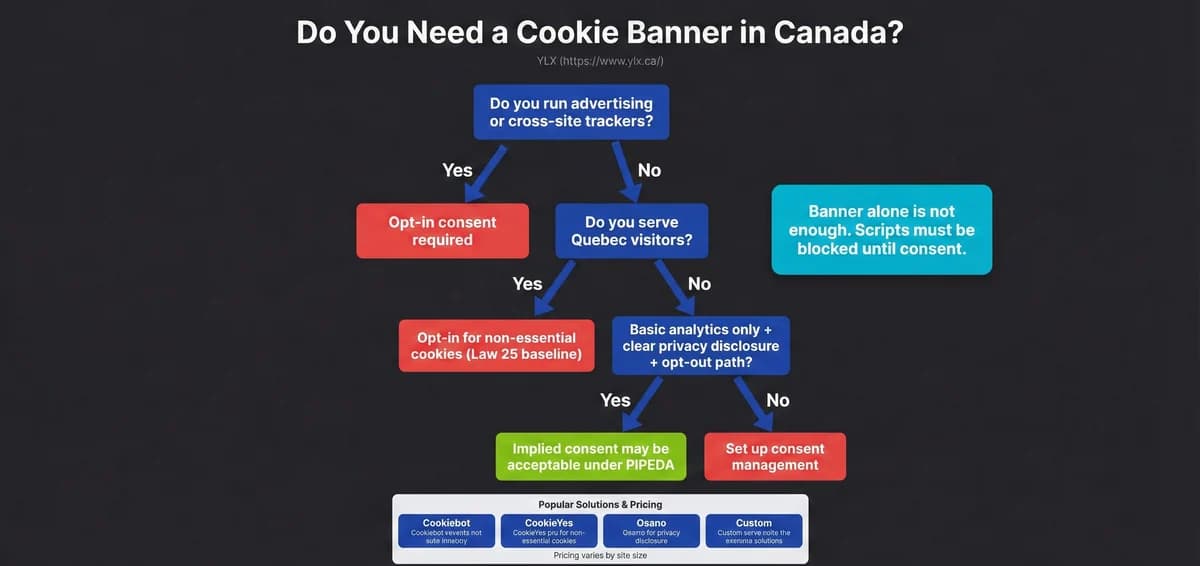
Cookie Consent for Canadian Websites: What You Actually Need
Not every Canadian website needs a cookie banner. Here's when consent is required under PIPEDA and Quebec's Law 25, and how to set one up properly.
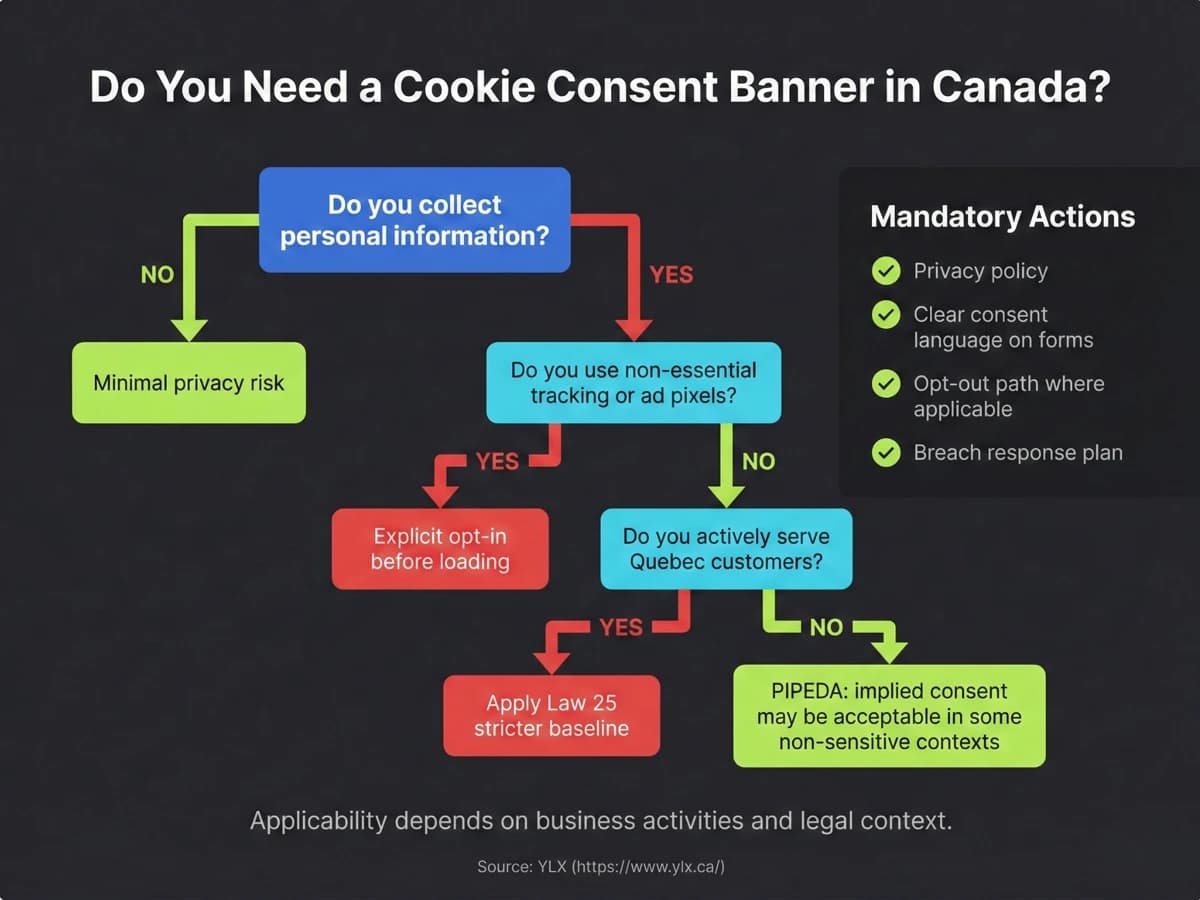
Website Privacy Law in Canada: A Guide for Business Owners
PIPEDA governs how Canadian websites handle personal data. Learn what your site needs for compliance, when cookie consent applies, and how Quebec Law 25 works.
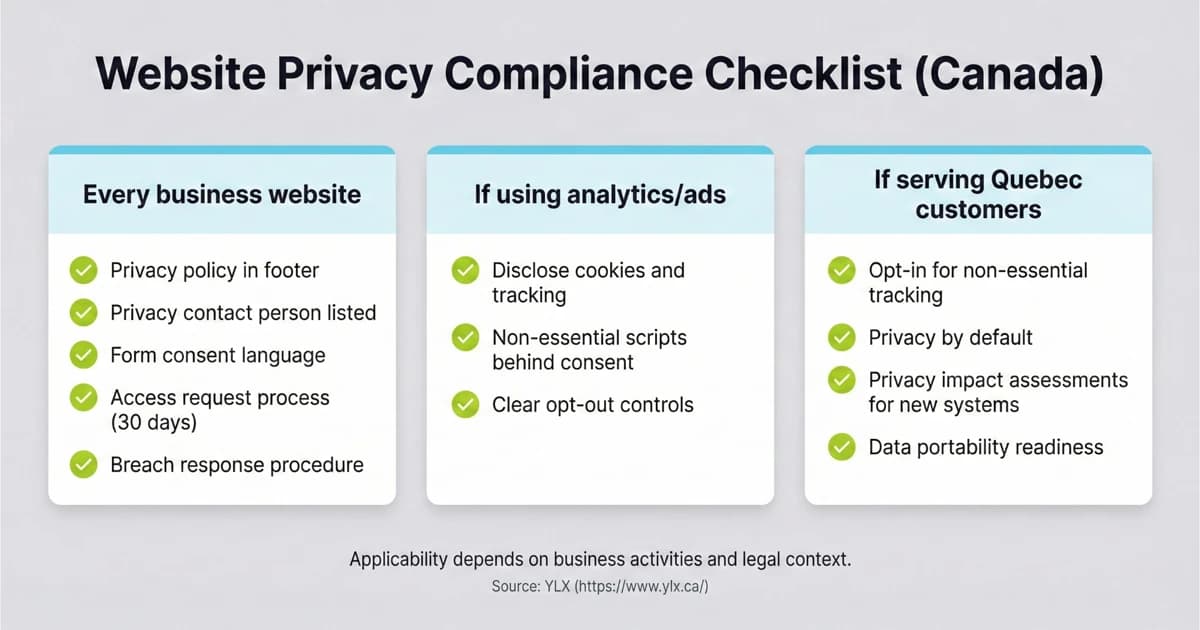
Bill C-27 Failed: What Canadian Businesses Do Next
Bill C-27 is dead. Learn what still applies under PIPEDA, where Quebec Law 25 raises compliance risk, and what your business website should change this quarter.